

AGM G1S
Solid rugged phone with great thermal cam and extra gadgets
One of the lighter rugged phones with great build quality, equipped with InfirRay thermal camera, a 20Mpix night vision/ir camera and a laser pointer.
Build quality
G1S is the lightest rugged phone with a thermal camera in the 'large screen (>6.2")' category. At 315g and with a 6.58" screen it is lighter than 6.3" Doogee S98 Pro, however the larger screen diagonal is reflected in the larger length (172.8mm vs 172mm). It is slightly heavier than 6.1"/293g Ulefone Armor 11T 5G. It is a solid rugged phone, and it seems to be built using the same type of case as H5, which won JerryRigEverything's Smartphone Durability Award 2022 - see here for details and here for the H5 durability test.
The front panel of the phone is a great example of an elegant design - with the orange-yellow border surrounding the phone, and giving it a unique, pleasing aesthetics. With this phone, you will have no problem spotting your device in box full of various devices, and you will not be ashamed of putting it next to a flagship non-rugged phone.
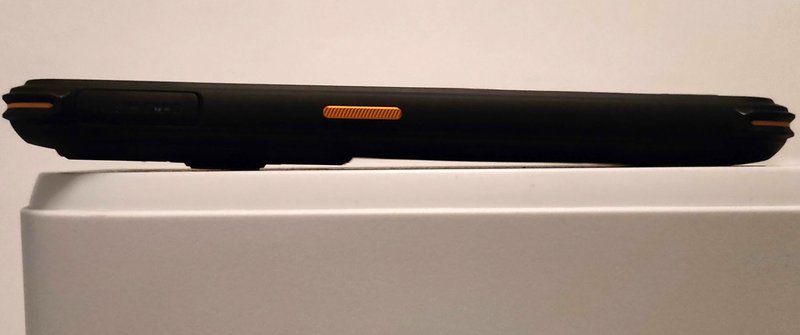
The device is thinner in the lower part (14.8mm), making it fit easily and nicely in a typical car phone holder, unlike e.g. the thicker AGM phones like H5 or Glory Pro, which may not fit nicely in some car holders.
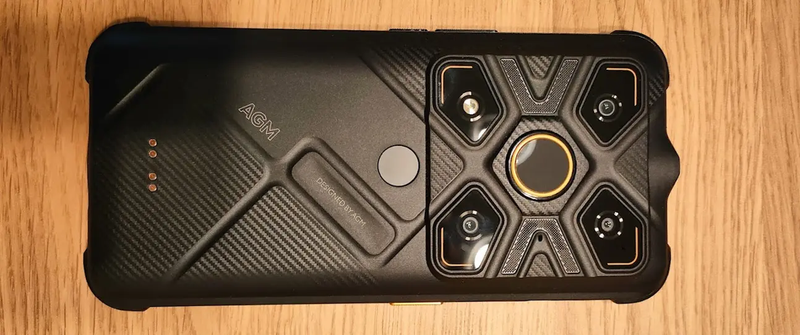
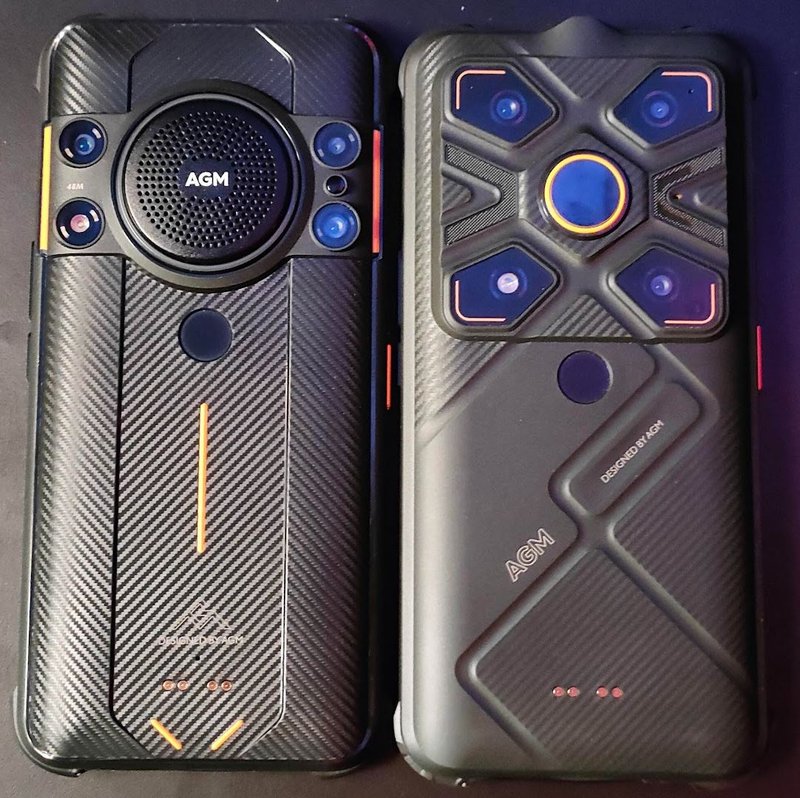
The back panel is also very pleasantly designed, and stands out among the competition. In my opinion, the design slightly gets in a way of ruggedness and usability.
First the four camera "eyes" on the sides of the back panel extend in all directions - it is almost impossible to grab the phone without touching one of the panels, and potentially leaving fingerprints or dirt on the lenses.
Second, the centrally located thermal sensor is the most exposed element of the back panel. Yes, it is protected by the plastic orange ring, extruding around 0.3mm above the sensor - but is it enough? When you put your phone on a flat surface, the protective ring is the point of contact of the phone with the surface.
Finally, the fingerprint sensor. The location of the fingerprint sensor in the back panel of the device makes it easy to use when you hold the phone in your hand, but makes it inaccessible when the phone is placed on a desk or in a typical car phone holder - so get ready to unlock your phone with your face, pattern, or password if you use it in a car or in other hands-free context. The central location of the fingerprint reader, below the - equally centrally located - thermal sensor, may be confusing. After a week or so of using the device, the reviewer was still quite frequently attempting to unlock the phone by touching the thermal sensor, instead of the actual fingerprint reader.
Side buttons
On the right hand side, you will see a volume rocker, and below a power button.
On the left hand side, below the SIM card slot, you will see an orange programmable button. In some other reviews of the device, reviewers complained that some functions, like laser pointer, only turn it on. It is actually not the case - these functions work well, but require a longer press of the button, which - if you don't know about it - may be very misleading.
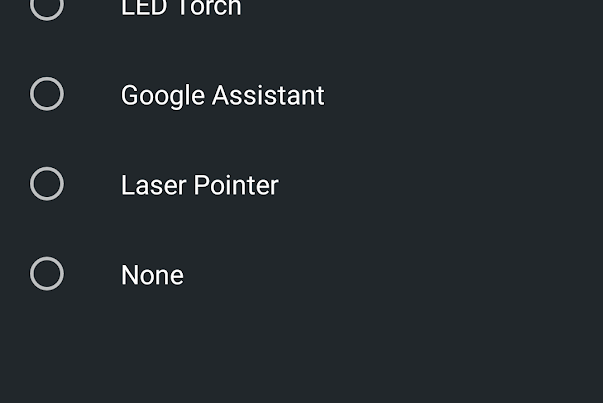
You can choose from several options, not all of them worked in our test unit:
- push to talk - this does nothing
- audio play - works well, opens default audio player
- camera, google assistant - works well
- LED torch, laser pointer - starts and stops the back-panel led torch or the laser pointer
Charging port and charging dock
The charging port is protected with a rubber plug, and the device comes with a spare one, too. However, here the design failed to prove to be first-class.
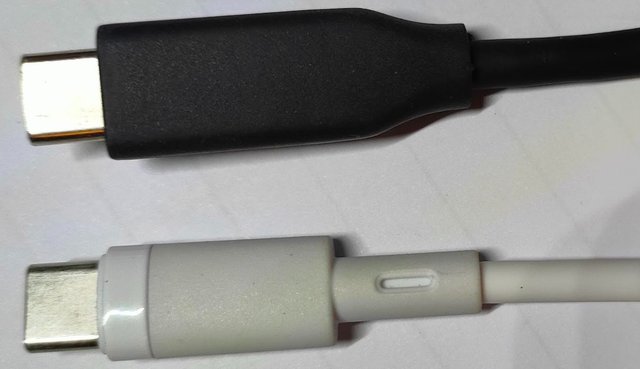
If you have a "rugged", thick USB-C cable, you are out of luck. The device has the charging port mounted so deeply inside the protective cover, that you will not be able to use some of the charging cables. See the photo below - the narrower, white cable works fine, but the wider, black one cannot be used with this device, and in fact with most AGM rugged phones.
Omission of the wireless charging in AGM Glory G1S may be a irrelevant for some users, while others will find it problematic. AGM offers a 10W docking station, dedicated to the G-series phones. While we did not have an opportunity to test it, the H5 has identically located charging dots in the back panel, therefore we expect that the charging dock to be usable with Glory G1S, Glory Pro, and H5 - see photo below.
Unfortunately the docking station charges at 10W maximum (while the USB-C charger - 15W, and in our tests it does use 15W current.
The dock is also not a solution for those who use their phone for car navigation. With car phone holder, you may be stuck with unplugging the rubber plug every time you want to charge the phone. However, G1S performs very reliably as a navigation system even without a charger. In our tests, with 50% brightness bar and auto-brightness switch on, Google Maps navigation consumed approximately 5 to 6% of battery per hour of driving - which means you should be able to get up to 15 - 20 hours of navigation before the device runs out of juice. In practice, if you use the navigation occasionally (1-2 hours per day), you may not be bothered to open the seal plug and charge the phone every time you use it in a car.